

Website Development Tools That Professional Teams Rely On
Choosing the right website development tools shapes every hour of your project. The wrong stack creates delays, bugs, and budget overruns.
This guide covers the software professional teams use daily. You will learn what each category does and which options earn their price.
We wrote it for business owners, not engineers. You do not need coding knowledge to follow along.
Smart website development tools save weeks of work. They also protect your site long after launch.
Why Your Website Development Tools Decide Project Speed
Software choices ripple through the entire build. A weak editor slows every line of code. A clumsy design tool adds days to approval rounds.
Professional teams standardize their stack for a reason. Everyone works faster when everyone uses the same setup.
Good tools for website development also reduce mistakes. Automated checks catch problems your eyes miss.
Clients feel the difference in delivery speed. Projects ship on schedule instead of drifting for months.
Your tool stack affects long-term costs too. Sites built on solid foundations cost less to maintain.
Design and Prototyping Tools
Design work starts before anyone writes code. These tools turn ideas into approved visuals.
Figma leads this category. Teams design, prototype, and comment inside one browser tab. Free plans cover small projects.
Adobe XD suits teams already inside the Adobe ecosystem. It handles wireframes and interactive prototypes well.
Canva works for simple graphics and social images. It costs nothing at the basic tier.
Balsamiq produces fast, low-fidelity wireframes. Its rough style keeps clients focused on structure.
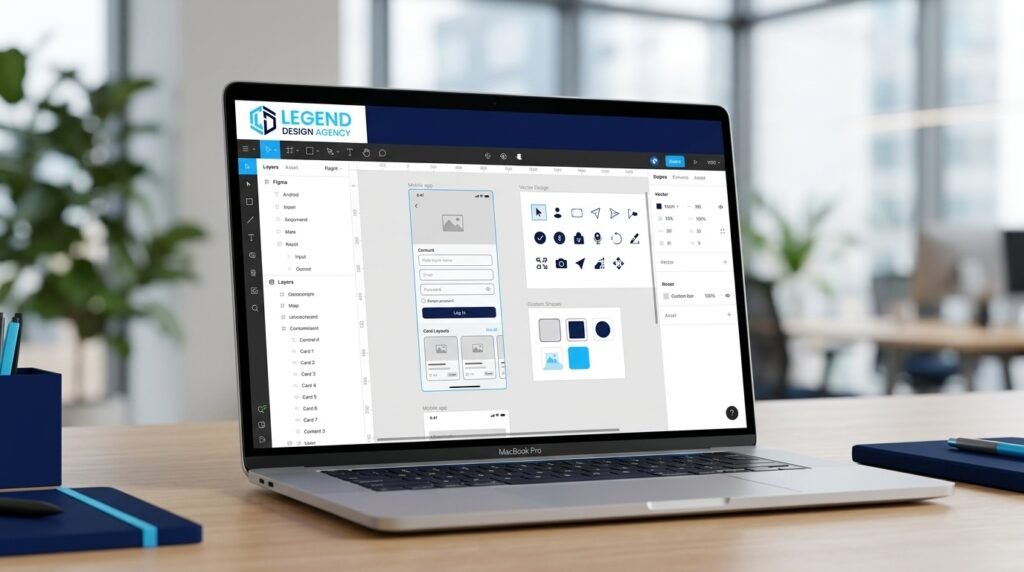
Strong visuals depend on strong branding first. Our logo design services give designers a clear system to work from.
Pick one design tool and stick with it. Mixing platforms creates version confusion fast.
Design tools for website development should support real-time comments. Feedback loops shorten immediately.
Code Editors and Development Environments
Developers spend most of their day inside an editor. This choice matters more than owners expect.
Visual Studio Code dominates the market. It is free, fast, and extends through thousands of add-ons.
Sublime Text appeals to developers who value speed above everything else.
JetBrains WebStorm offers deeper code intelligence for large projects. It carries an annual license fee.

Modern website development tools in this category include AI assistants. GitHub Copilot writes boilerplate code quickly.
Ask your agency which editor their team uses. Consistent setups reduce handover friction later.
Editor-based tools for website development cost little. Most professional options stay free forever.
Content Management Platforms
Your CMS determines who can update the site after launch. Choose based on your team, not trends.
WordPress powers a large share of the web. It handles blogs, shops, and booking systems.
Webflow gives designers visual control with clean output. Monthly costs run higher than WordPress hosting.
Shopify serves product-based businesses. It handles payments, inventory, and shipping natively.
Craft CMS and Sanity suit publishers who need flexible content structures.
Businesses that outgrow templates need bespoke builds. Our custom web design services handle those projects end to end.
Test the editing experience before committing. You will use it every week for years.
Platform choice anchors every other decision about tools for website development.
Front-End Frameworks and Libraries
Frameworks handle repetitive coding work. They speed up complex interfaces enormously.
React remains the most widely used option. Developer availability makes hiring easier.
Vue offers a gentler learning curve. Smaller teams often prefer it.
Next.js builds on React and improves search performance. It suits content-heavy business sites.
Tailwind CSS speeds up styling work dramatically. Designers control appearance without writing custom stylesheets.
These tools for website development suit projects with real interactivity. Simple brochure sites rarely need them.
Ask whether a framework adds value to your specific project. Unnecessary complexity raises maintenance costs.
Version Control and Collaboration
Version control tracks every change to your code. It lets teams work together without overwriting each other.
Git is the standard. Version control systems store your entire project history safely.
GitHub hosts Git repositories and adds review workflows. Free plans cover small teams.
GitLab and Bitbucket offer similar features with different pricing models.
Any agency working without version control raises a red flag. Ask about their setup during your first call.
Proper website development tools here protect you from disaster. Bad deployments roll back in seconds.
You also gain a permanent record of who changed what.
Hosting and Deployment Platforms
Hosting decides how fast your pages load. Cheap plans deliver slow experiences.
SiteGround and Kinsta offer managed WordPress hosting with strong support. Costs run twenty-five to eighty dollars monthly.
Vercel and Netlify deploy modern framework sites in seconds. Both include generous free tiers.
Cloudways gives you cloud performance without server administration work.
WP Engine suits businesses running heavy WordPress traffic.

Deployment tools for website development now push updates automatically. Your changes go live the moment you approve them.
Reliable website development tools here prevent downtime. Every hour offline costs you sales.
Check where the servers sit before you buy. American customers deserve American data centers.
Testing and Debugging Tools
Testing catches problems while fixes remain cheap. These tools automate the tedious parts.
Chrome DevTools ships free inside your browser. Developers inspect layouts, network calls, and errors instantly.
BrowserStack tests your site on hundreds of real devices. Manual device labs cost far more.
Cypress and Playwright automate repeated test runs. They catch broken forms before customers do.
Lighthouse audits performance, accessibility, and SEO in one report.
Reliable tools for website development in this category prevent embarrassing launches. Untested sites fail in public.
Budget testing time into every project. Rushed launches always cost more later.
Accessibility Testing Tools
Accessible sites reach more customers and lower your legal risk.
WAVE scans any page for accessibility errors free of charge. Results appear in seconds.
axe DevTools integrates directly into Chrome. Developers catch issues while they build.
Stark checks color contrast inside Figma before designs reach development.
NVDA and VoiceOver let you hear your site the way screen reader users do.
Accessibility tools for website development belong in every project plan. Retrofitting later costs far more.
Roughly one in four American adults lives with a disability. Ignoring them removes real buyers.
Run an accessibility scan before every launch. Fixes take minutes at this stage.
Performance and Speed Tools
Slow pages lose customers and rankings together. Speed deserves dedicated attention.
PageSpeed Insights scores your pages against Google’s own benchmarks at no cost.
GTmetrix breaks down load waterfalls clearly. You see exactly which files cause delays.
WebPageTest runs detailed tests from multiple global locations.
TinyPNG and ShortPixel compress images before upload. Large images cause most slowdowns.
Google measures three Core Web Vitals signals. They cover loading, responsiveness, and visual stability.
Run speed tests monthly, not once. Performance degrades as you add content and plugins.
SEO Tools That Belong in Your Stack
Search visibility drives free traffic for years. These platforms find the opportunities.
Google Search Console reports indexing, rankings, and technical errors. It costs nothing and every site needs it.
Ahrefs and Semrush handle keyword research and competitor analysis. Plans start near one hundred dollars monthly.
Screaming Frog crawls your site like a search engine. It exposes broken links and duplicate content.
Yoast SEO guides on-page optimization inside WordPress.
Software alone will not lift rankings. Our SEO agency pairs these platforms with real strategy and execution.
Data without action changes nothing. Review reports monthly and fix what they reveal.
Domain and DNS Management Tools
Your domain sits at the foundation of everything else.
Namecheap and Porkbun register domains at fair prices with clean interfaces.
Cloudflare Registrar sells domains at cost. You pay the wholesale price with no markup.
Google Domains customers moved to Squarespace Domains after the 2023 sale.
Keep your domain registrar separate from your hosting account. Separation protects you during provider disputes.
Turn on auto-renew and domain lock immediately. Expired domains cause the worst outages in web development.
Register your domain under your own name, never your agency’s. Ownership disputes get expensive fast.
Security Tools Every Site Needs
Security failures destroy trust permanently. Protection belongs in the build, not the aftermath.
Wordfence and Sucuri scan WordPress sites for malware and block attacks.
Cloudflare filters malicious traffic before it reaches your server. Free plans suit most small businesses.
1Password and Bitwarden store team credentials safely. Reused passwords cause most breaches.
UpdraftPlus automates backups and stores copies off your hosting account.
Website development tools in this category pay for themselves instantly. One prevented breach covers years of subscriptions.
Test your backup restore process twice a year. Untested backups fail when you need them.
Analytics and Tracking Platforms
You cannot improve what you never measure. Analytics turns guesses into decisions.
Google Analytics 4 tracks traffic, behavior, and conversions at no cost.
Microsoft Clarity records sessions and builds heat maps for free. You watch where visitors hesitate.
Hotjar adds surveys and feedback widgets alongside heat maps.
Matomo offers privacy-focused analytics for businesses with strict data requirements.
Set up conversion goals during the build. Untracked leads look like zero results in every report.
Analytics tools for website development cost nothing at the entry level. Skipping them makes no sense.
Traffic data guides your marketing spend. Review your reports before you raise any advertising budget.
Form, Email, and Automation Tools
Forms capture leads. Email turns those leads into customers.
Gravity Forms and WPForms build advanced forms inside WordPress without code.
Mailchimp and ConvertKit handle email lists and automated follow-up sequences.
Calendly lets prospects book calls directly. Booking friction disappears.
Zapier and Make connect your platforms together. Form submissions flow straight into your CRM.
These tools for website development turn a static site into a working sales system.
Automate your follow-up before you chase more traffic. Fast replies close more deals.
Test every form monthly. Broken forms cost silent revenue for weeks.
Project Management and Communication
Missed deadlines usually trace back to poor coordination. These platforms keep projects moving.
Asana and Trello track tasks visually. Both offer usable free plans.
Jira suits development teams running formal sprints.
Slack replaces scattered email threads with organized channels.
Loom records quick screen videos. Feedback becomes clearer in ninety seconds than in three paragraphs.
Good tools for website development include coordination software. Technical skill means little without clear communication.
Ask your agency how they share progress. Weekly updates should arrive without you chasing them.
AI Tools Reshaping Web Projects
AI now handles work that once consumed entire afternoons.
GitHub Copilot suggests code as developers type. Routine functions write themselves.
ChatGPT and Claude draft page copy, outlines, and technical documentation.
Midjourney generates custom imagery when stock photos fall short.
Descript edits video and audio through a text interface.
AI website development tools speed up drafts. They still need human review before anything ships.
Treat AI output as a first draft, never a final one. Accuracy remains your responsibility.
Our team blends these tools for website development with human judgment on every project.
How to Choose the Right Tools for Website Development
Owners often buy software they never use. Match the stack to your actual project.
Start with your goal. A five-page brochure site needs far less than an online store.
Count your team next. Solo owners need simple platforms with strong support documentation.
Check the learning curve honestly. Powerful software delivers nothing if nobody masters it.
Review the total cost across a full year. Monthly fees add up quickly across eight platforms.
Confirm the tool exports your data. Vendor lock-in creates expensive problems later.
Compare tools for website development against your budget for a full year, not one month.
Our complete website development process shows how these choices fit each project stage.
Free Versus Paid Options
Free tiers cover more ground than most owners expect. Start there and upgrade when limits appear.
Google Search Console, Analytics, Clarity, and PageSpeed Insights cost nothing permanently.
Figma, Canva, Trello, and Cloudflare all offer capable free plans.
Paid website development tools earn their keep at scale. Ahrefs, BrowserStack, and Webflow solve problems free tools cannot.
Set a monthly software budget before you subscribe to anything. Unused subscriptions drain money quietly.
Free tools for website development handle design, analytics, testing, and hosting surprisingly well.
Audit your stack twice a year. Cancel anything nobody opened last quarter.
Mistakes Owners Make With Their Tool Stack
Buying software before defining the project tops the list. Strategy comes first.
Running too many platforms creates confusion. Three tools your team masters beat ten they ignore.
Ignoring free options wastes money. Google gives away genuinely excellent software.
Choosing based on popularity alone backfires. Your project needs differ from a Fortune 500 company.
Skipping the trial period causes regret. Test the interface before entering card details.
Forgetting about exports traps your data. Confirm you can leave before you commit.
Chasing every new release wastes hours. Proven tools for website development beat trendy ones.
Treating website development tools as a one-time purchase fails. Software needs updates, training, and periodic review.
A Practical Starter Stack for Small Businesses
Owners often ask what a minimum viable setup looks like. Here it is.
Use Figma for design and WordPress for your platform. Both scale as you grow.
Add Google Search Console, Analytics 4, and Microsoft Clarity for measurement. All three cost nothing.
Install Wordfence for security and UpdraftPlus for backups.
Run PageSpeed Insights monthly and WAVE before every launch.
That stack costs almost nothing beyond hosting. These website development tools cover ninety percent of small business needs.
Read our guide on how to create a website to see this stack in action.
Upgrade only when a real limitation blocks progress.
Build With the Right Stack From Day One
The right website development tools shorten timelines and protect your investment. The wrong ones create months of avoidable rework.
Start small. Pick one design tool, one platform, and the free Google suite.
Add paid software only when a real limitation blocks you. Complexity should follow need, never precede it.
Owners who want expert execution skip the trial-and-error entirely. Our team arrives with a proven stack and years of experience.
Request a free consultation and project quote today. We will review your goals and recommend the right approach.
Your website deserves professional website development tools and the people who know how to use them.